Rental Registration Checkout
Parks & Rec > Rental Registration > Create
Clicking the CHECKOUT button takes you to the Rental Details & Acknowledgements page containing add-ons, required disclaimers and custom fields, if applicable.
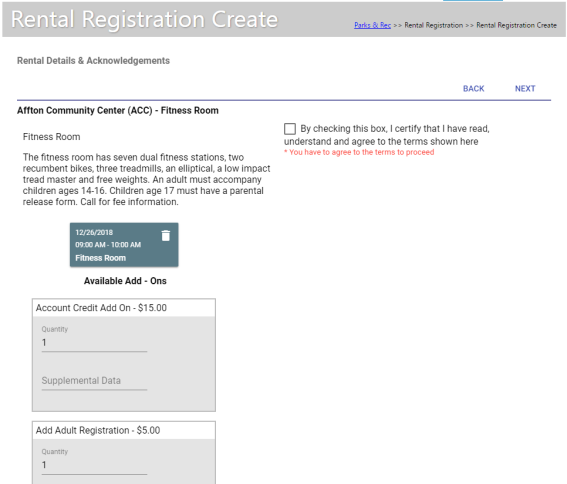
If multiple facilities have been selected, the additional items are grouped under the appropriate facility cards.
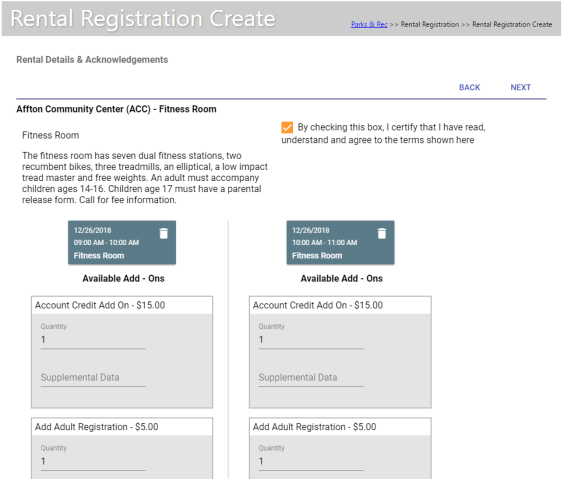
If you are scheduling the same facility in multiple time slots, after making item selections for one facility, you may click a button to have the same selections applied automatically to the other facilities.
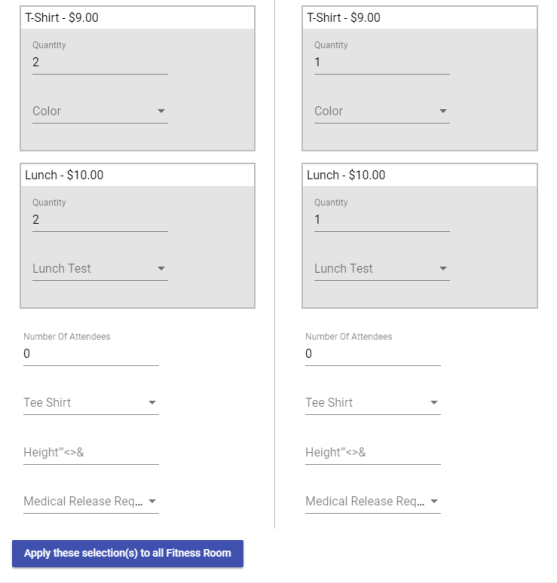
Note: The default entry for the Number of Attendees field on the Rental Details & Acknowledgements step of the Rental Registration Create process is 0 to require the user to remove the value and enter the correct number of attendees before continuing.